> This page is for Docs.
> For clean Markdown of any page, append .md to the page URL.
> For a complete documentation index, see https://zuora.ferndocs.com/llms.txt.
> For AI client integration (Claude Code, Cursor, etc.), connect to the MCP server at https://zuora.ferndocs.com/_mcp/server.
# Example of configuring email templates
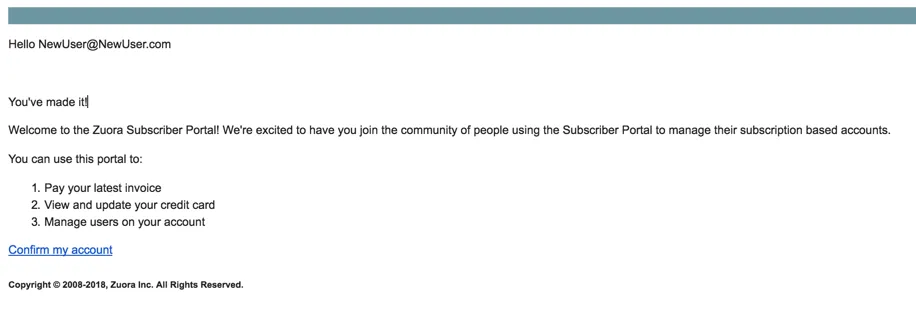
> An example of an email template.
An example of an email template.
Email templates can be configured using plain text or HTML. For example, if you want to provide a list in your message to the customer, you could add the following code snippets to the `` section of your email template.
```
You've made it!
Welcome to the Zuora Subscriber Portal! We're excited to have you join the community of people using the Subscriber Portal to manage their subscription based accounts.
You can use this portal to:
- Pay your latest invoice
- View and update your credit card
- Manage users on your account
```
The following email sample illustrates the configuration above.
Limitations of the email template include:
* Hello `NewUser@NewUser.com`: This portion of the email template is currently not modifiable and will be displayed below the heading of each sent email.
* **Confirm my account**: This link is used to direct customers back to the portal. This portion of the email is currently not modifiable and will be displayed above the footer of each sent email.