Deployment Manager overview
This topic provides an overview of Deployment Manager and its role in managing metadata deployments between Zuora tenants.
A deployment is an automated process that migrates metadata objects from a source tenant to a target tenant. Metadata objects in Zuora can be Settings, Custom Fields, Notifications, and more.
For example, when expanding your subscription business with a new tenant, you can use Deployment Manager to migrate configuration from a sandbox tenant to a production tenant. This significantly reduces manual effort while giving you control to compare and selectively deploy the most relevant settings.
Key features
Deployment Manager provides the following capabilities:
-
Migrate metadata between tenants, including:
- Sandbox to sandbox
- sandbox to QA
- sandbox to production
-
Compare differences between the source and the target tenants
-
Revert deployments to a previous state in the target tenant
-
View deployment history and logs
Prerequisites
- You must have a Platform Administrator user role to add source tenants for deployments.
- You must be logged in to the target tenant to run a deployment.
- The target tenant must be configured to receive metadata objects from a source tenant.
Deployment Manager flow
The following graph describes the high-level flow for using Deployment Manager.

Permissions and roles
Administrative Access
Deployment manager provides the following permissions within tenants:
- Source Tenant : Users must have the Platform Administrator role to add and authenticate Source Tenants.
- Target Tenant : By default, users with a Platform Administrator role have access to Deployment Manager.
Platform Standard users can run deployments without requiring a Platform Administrator role.
Custom Roles in Deployment Manager
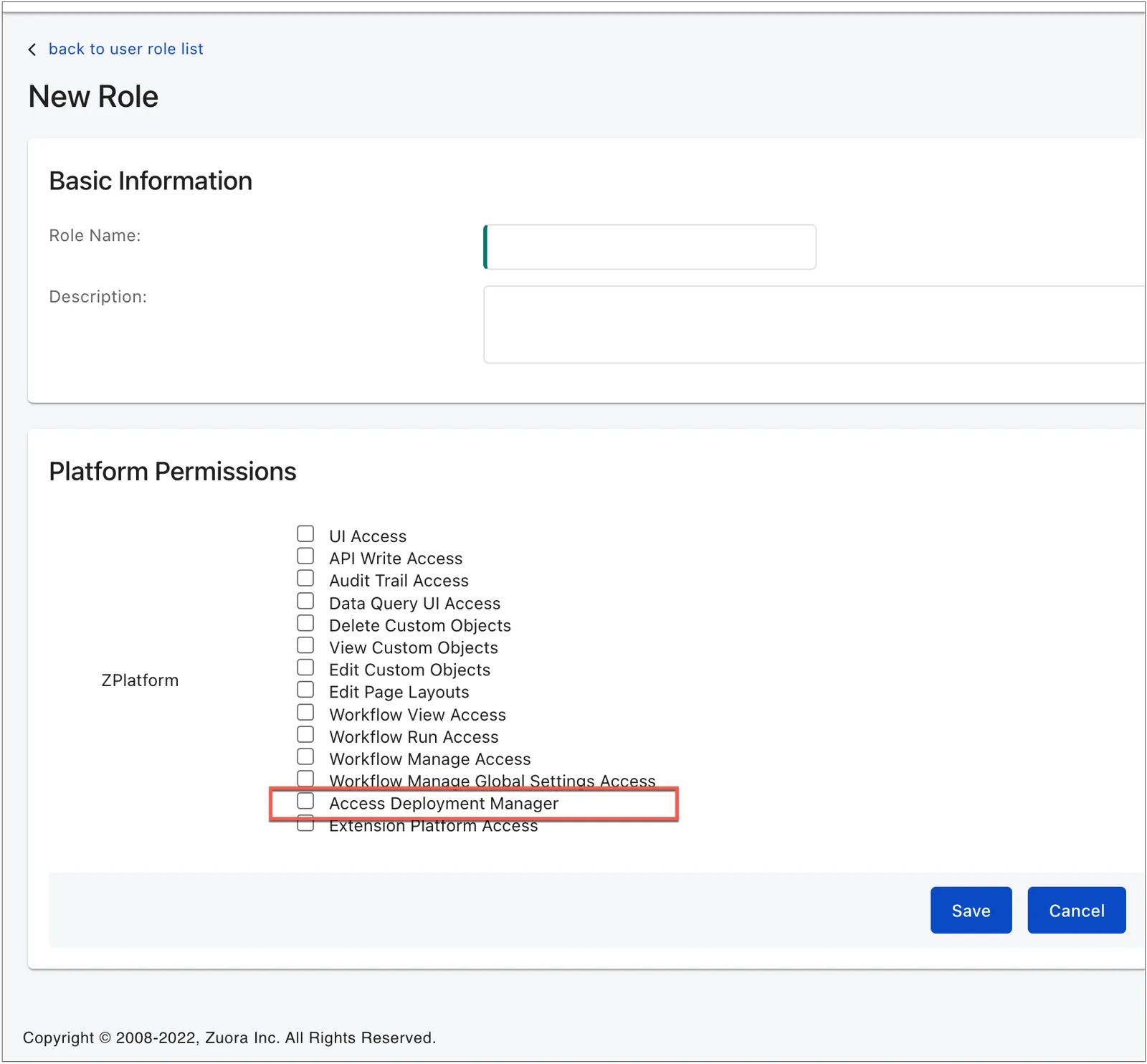
Deployment Manager permission can now be incorporated for custom roles. Administrators can grant access perform deployments by creating a custom role and enabling Deployment Manager permission at the tenant level.
To add and authenticate Source Tenants, users must have the Platform Admin role.