

Create a schedule for summary runs
Learn how to create a schedule for summary runs
If you want summary runs to be performed on a schedule, you need to create a schedule. You can have multiple schedules.
To create a schedule, perform these steps.
Optionally, modify the settings that are auto-populated from global settings. To learn about how to configure the global settings, see Configure Settings for the GL Interface.
- Day Offset
- Run Type
- Billing Types
- Cash Types
- Revenue Types
Select the time zone for the schedule and use the schedule builder to create a schedule.
-
Click the schedule builder list and select a frequency for the schedule. After you select a frequency, additional settings for the frequency will be displayed.
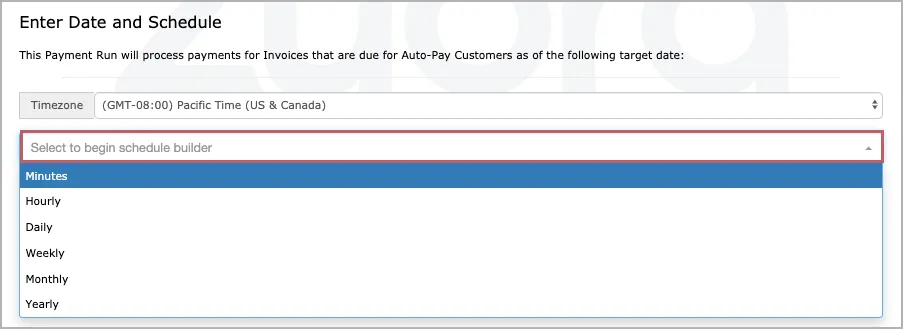
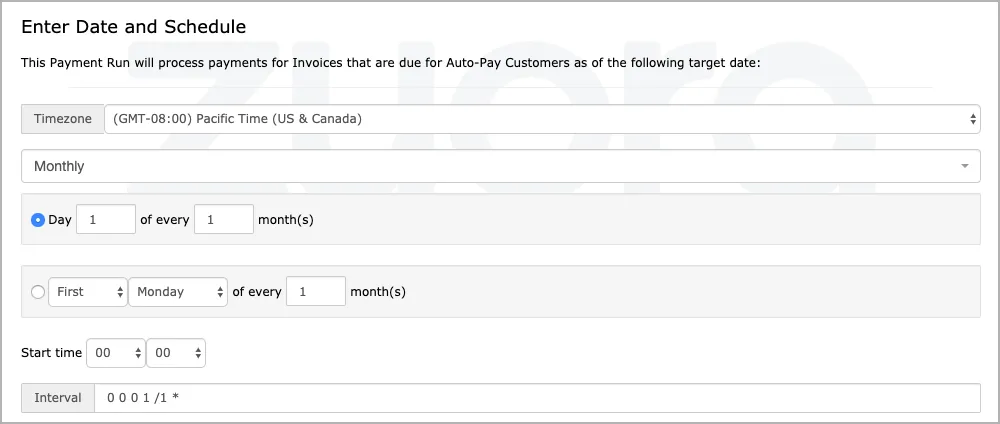
The available settings are different for different frequencies. For example, the Monthly settings look like this:
-
Configure the settings in the schedule builder. For Monthly, you can configure a schedule to run once every several months. For Weekly, you can pick the days in a week when summary runs will be performed.
-
The Interval field displays the corresponding cron expression for the schedule that you have configured. You do not need to configure the expression.
