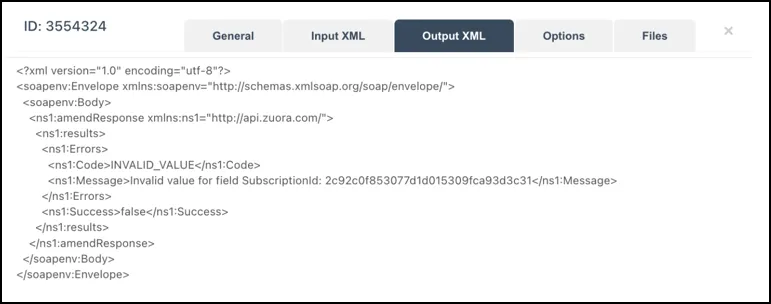
IntegrationIntegration HubCore Connectors and ApplicationsDeveloper ToolsConfigure Generic API UtilityView SOAP API request and responseAsk a question|Copy page|View as Markdown|More actionsThis page is for Docs.Learn how to view SOAP API requests and responses using the Output XML and Output Table tabs. 1Click the Output XML tab to view the response after submitting a SOAP API request.The response body is also displayed in a user-friendly format in the Output Table tab.2<Optional> To create a new SOAP request, use the options available on this page.