

Configure Deduplicator as a processor
Use the Deduplicator processor to identify duplicate event data in your Mediation pipeline. When the Deduplicator identifies a duplicate record, the record is marked as an error and discarded.
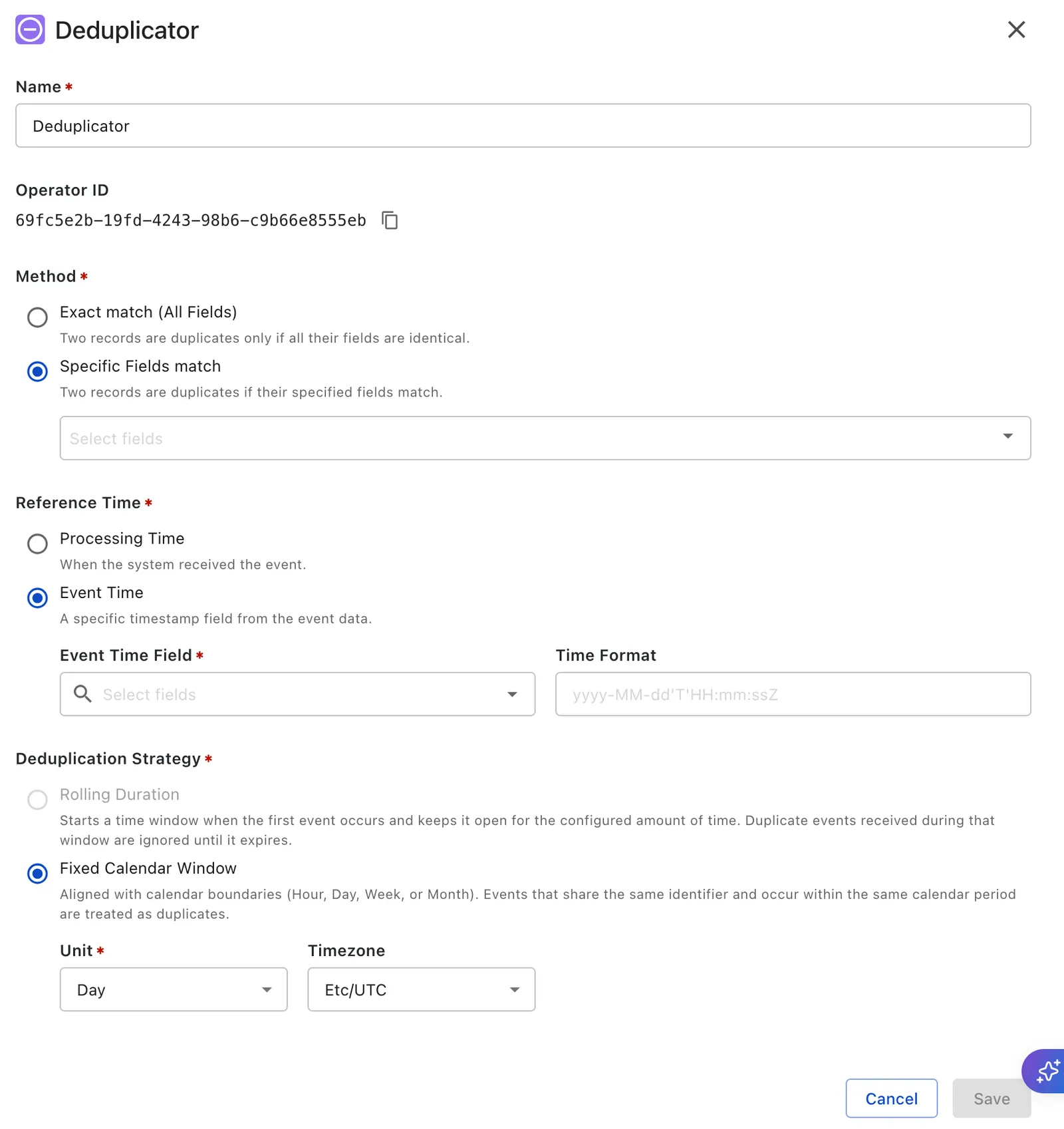
In Name, enter a descriptive name for the Deduplicator component.
The Operator ID is a system‑generated, non-editable identifier for this operator, used in audit and API integrations.
In Method, choose one of the following options:
- Exact match (All Fields) to compare the entire record.
- Specific Fields match to compare only the fields that you select.
If you select Specific Fields match, select the fields that the Deduplicator must use to identify duplicates.
In Reference Time, choose one of the following options:
- Processing Time to use the time when the event is received by the system.
- Event Time to use a timestamp field from the event payload.
If you select Event Time, complete the following fields:
- Event Time Field: Select the field that contains the timestamp value.
- Time Format: Enter the format used by the timestamp value.
Event Time determines which calendar window is used for duplicate checking. Deduplication state is retained only for a limited period and is not kept forever. By default, the system keeps deduplication state for 60 days.
In Deduplication Strategy, choose one of the following options:
- Rolling Duration to start a time window when the first event arrives and keep it open for the configured duration.
- Fixed Calendar Window to group events by calendar boundaries such as hour, day, week, or month.
If you select Rolling Duration, complete the following fields:
- Enter the duration value.
- Select the duration unit.
- Optional: Select Reset window on duplicate if duplicate arrivals must extend the deduplication window
If you select Fixed Calendar Window, complete the following fields:
- Unit: Select the calendar boundary to use.
- Timezone: Select the timezone used to calculate the calendar boundary.
Click Save to save the deduplicator processor settings.
- The default configuration is Processing Time with Rolling Duration and a 30-day window.
- Rolling Duration is supported only with Processing Time.
- In batch meters, deduplication is still limited to the current batch run.
- In batch meters, Fixed Calendar Window can still partition records within the batch.