

Compare configuration templates in GitHub
Learn how to compare configuration templates in GitHub using difference tools and split view for effective version management.
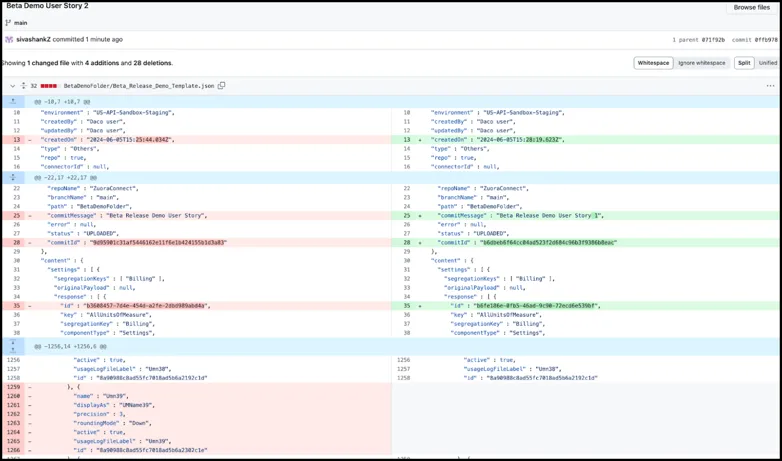
Difference tools in GitHub show changes inline, making it easy to view what has been changed in a file. Use the split view for a more comprehensive comparison, with the original file on one side and the modified file on the other. Here is an example of how this works with Configuration Templates and GitHub.
Click on the latest version of the file and the split view will provide the differences between the latest and the previous version
Deployment Manager supports only Github cloud. If you would like to include more source code repositories, fill out the Requirements Survey
form.