

Set up an external API integration
Learn how to create a reusable integration that connects Experience Builder to a third-party API, then use that integration in Studio data queries or with the AI agent to retrieve and bind external data to your pages and components.
Make sure you have the API information required by the external service, such as:
- Base URL
- Authentication method
- Required headers
- Query parameters or request body values, if applicable
Create an integration when you want Experience Builder to connect to a third-party API and reuse that connection across your workspace.
After you create and save the integration, you can use it in Studio component data queries or ask the AI agent to use the named integration when wiring data into an experience.
Perform these steps to set up an external API integration:
-
Navigate to Extension Studio > Experience Builder > Integrations tab.
-
Click New Integration.
-
In the Source type list, select the connector that matches the API that you want to connect to. For most third-party REST APIs, select Generic HTTP. If a more specific source type is available and matches your API, use that option instead.
-
Enter the connection details for the API. Depending on the external service, this can include:
-
Save the integration.
The saved integration becomes a reusable data source for the workspace.
Perform these steps to use the saved integration in Studio to retrieve data for pages and components.
-
Navigate to Extension Studio > Experience Builder.
-
Select an existing project or create a new one.
-
Create a new page or select an existing one.
-
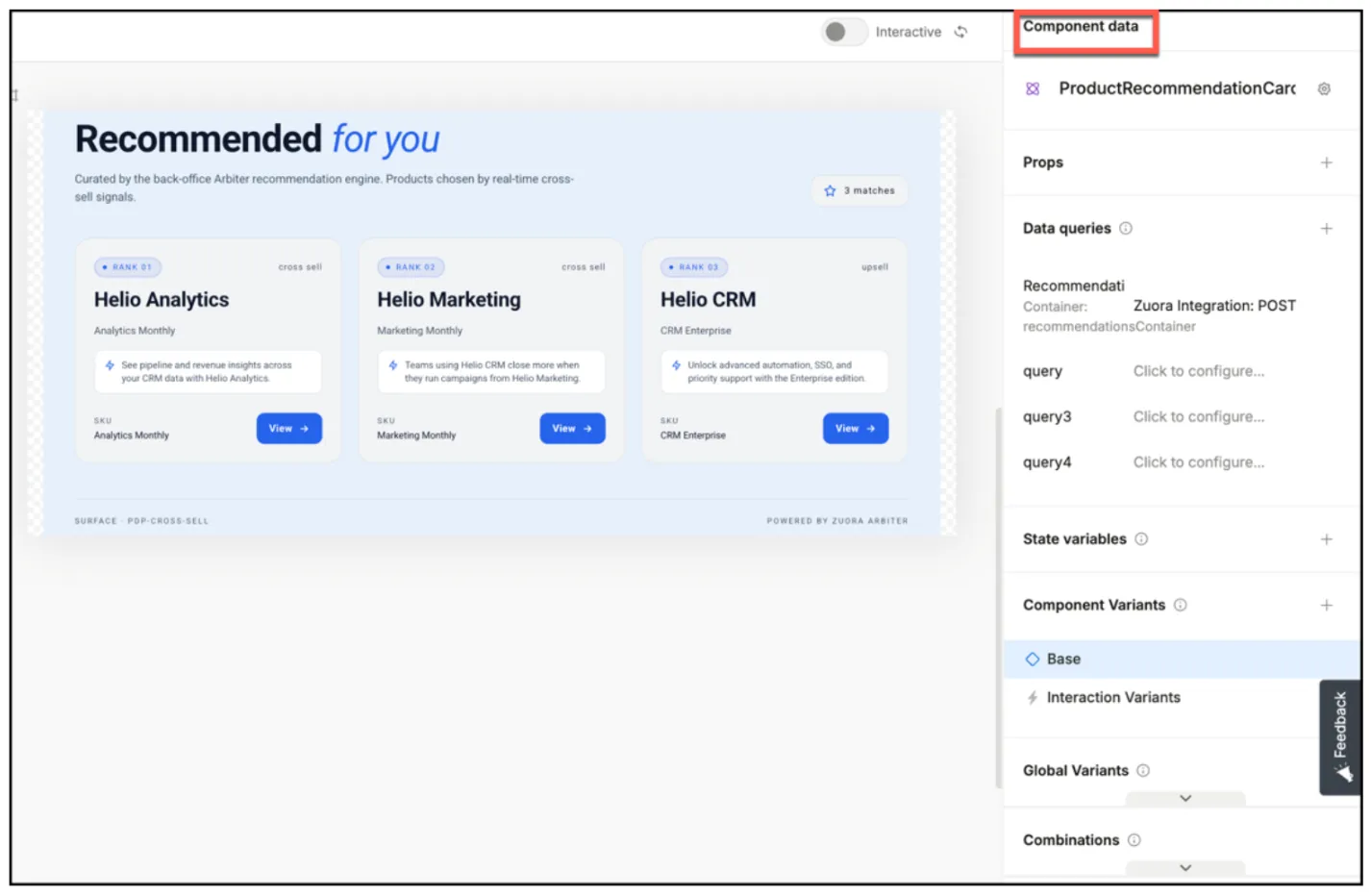
Open Component data.
-
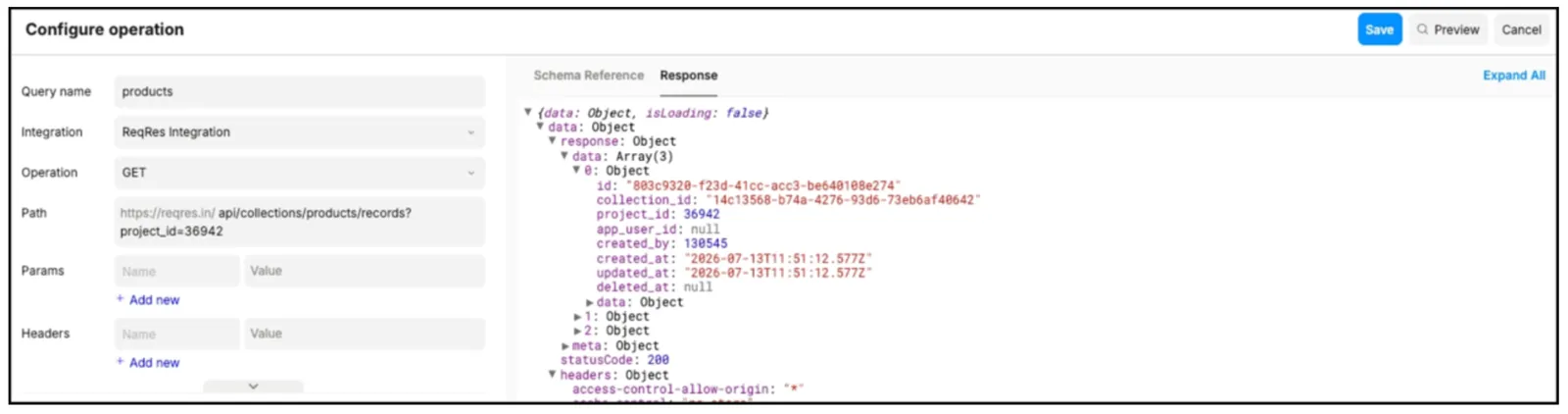
Add a new data query with the integration you created.
-
Specify the request details, such as:
- HTTP method
- Path
- Headers
- Request body
-
Bind the returned data to the UI elements that need it.
Alternatively, you can also ask the AI agent to wire up the integration for you. When you prompt the agent, include:
- The endpoint to call
- The data you want returned
- The name of the integration you want it to use
For example, explicitly name the saved integration, for example, ReqRes integration, so the agent reuses the existing data source instead of creating a new one.