Skip to navigation

Learn how to embed reusable blocks into email templates.

1

Navigate to Events notifications entry in the left navigation menu.

2

Click the Email Templates tab.

3

In the Email Templates sub-tab, locate the email template you want to embed the reusable block into and click Edit in the last column. The Edit Email Template dialog opens.


4

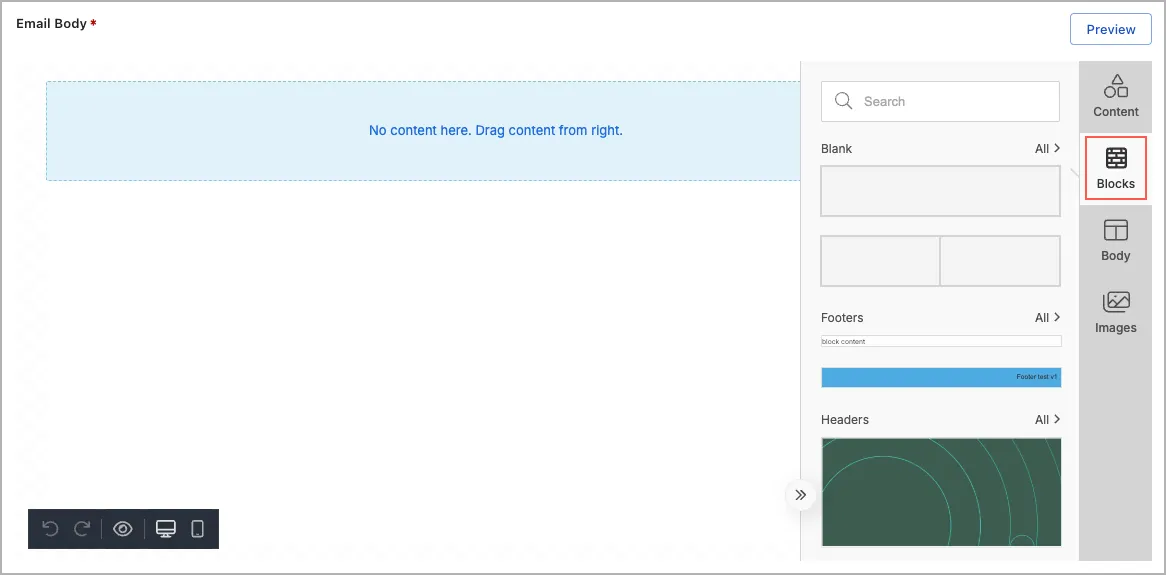
In the Email Body section, click Blocks in the email template editor.

List of reusable blocks in the email template editor
5

Add reusable blocks:

  1. (Optional) Click a category or enter a tag name in the Search field to filter related reusable blocks.
  2. Drag a reusable block to the desired location in the email body.
  3. Repeat steps a and b to add additional reusable blocks as needed.
6

Click Save.