Delete a card
Learn how to delete a card or unpin it from the Dashboard if it’s no longer needed
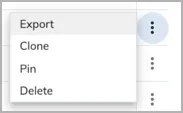
If you do not need a card anymore, you can delete it. If you only want to remove a card from the Dashboard, you can unpin it from the Dashboard.
To delete a card: