

Change card display options
Learn how to change the display options for cards on your dashboard, affecting all Zuora users in your organization.
To change how a card is displayed:
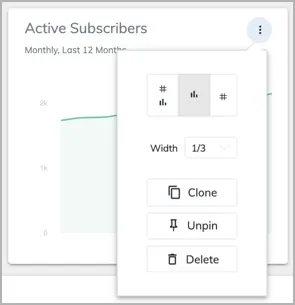
When you change the card display options, the dashboard changes for all Zuora users in your organization.
Headline numbers are not available for Timeseries cards that have a Group By enabled.