

Condition builder overview
Describes the UI elements and basic concepts of the condition builder.
The condition builder, a complement to the Java-Expression-Language-based (JEXL-based) approach for defining conditions, enables you to define trigger conditions for custom events or define filter conditions for notification definitions in the Zuora UI in an intuitive and visualized way.
UI elements
The following figure shows the user interface of the condition builder:
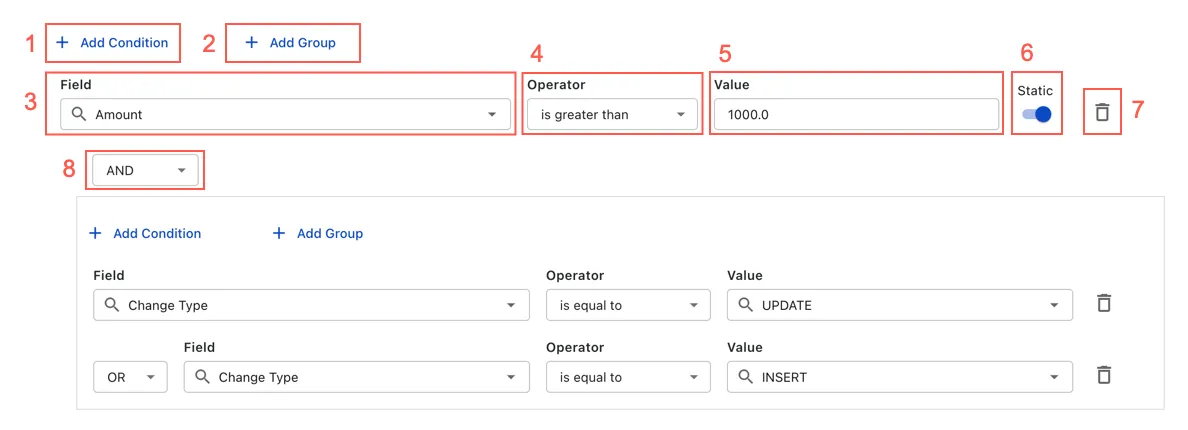
You can find the details of each numbered element in the following table:
Basic concepts
Condition and group are basic components in the condition builder:
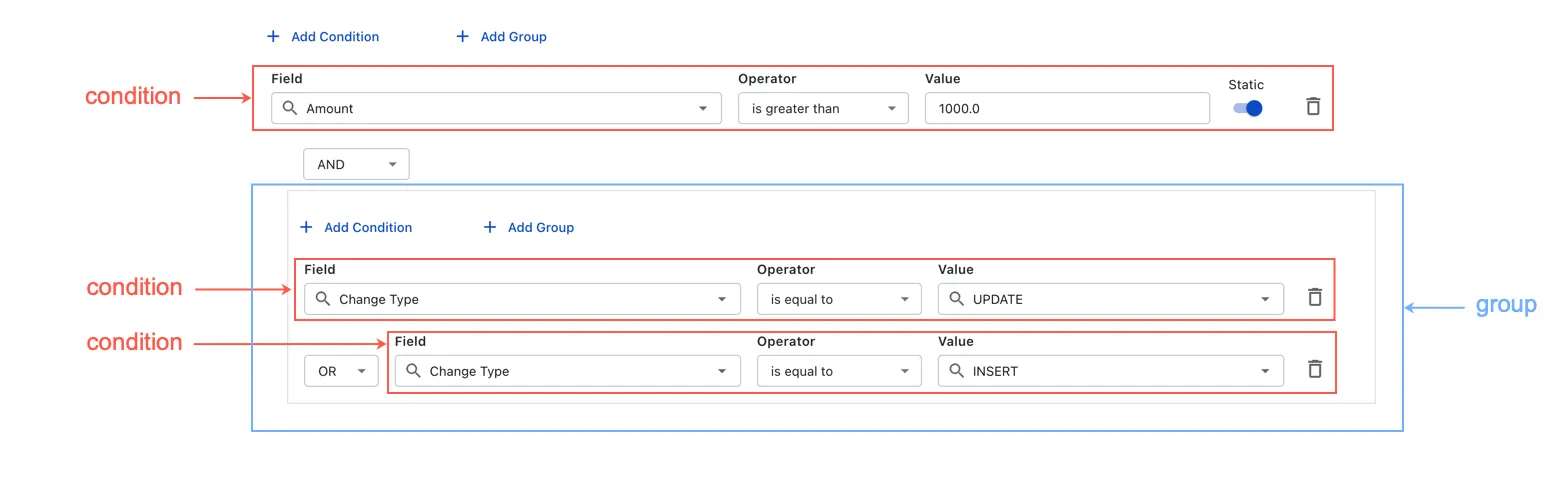
Condition
A condition consists of three fields: Field, Operator (comparison operator), and Value. For example:
- Field: Amount
- Operator: is greater than
- Value: 1000.0
Each custom event or notification definition can contain multiple conditions, which must be connected by logical operators (AND or OR).
Operator precedence and group
The evaluation order of conditions is based on operator precedence. The AND operator has higher precedence than the OR operator. To customize the order, you can use groups, which have the highest precedence.
The following is an example:
Notes and limitations
-
You can use only one logical operator type (AND or OR) to connect the conditions in a specific group. Use a sub-group to combine the AND and OR operators in a group. For example,
ConA AND (ConB OR (ConC AND ConD)). -
The Value field is not available if the operator is one of the following:
- Is null
- Is not null
- Is empty
- Is not empty