

Skip to navigation

Add a source code repository to Zuora tenant

View as Markdown

Learn how to add a GitHub source to a Zuora tenant, creating and upload configuration templates, and manage existing configurations.
1

From the main menu, navigate to Administration > Deployment Manager

2

In the Deployment Manager list view page, click on the Source Code Repository tab.

3

Click the +New button.

4

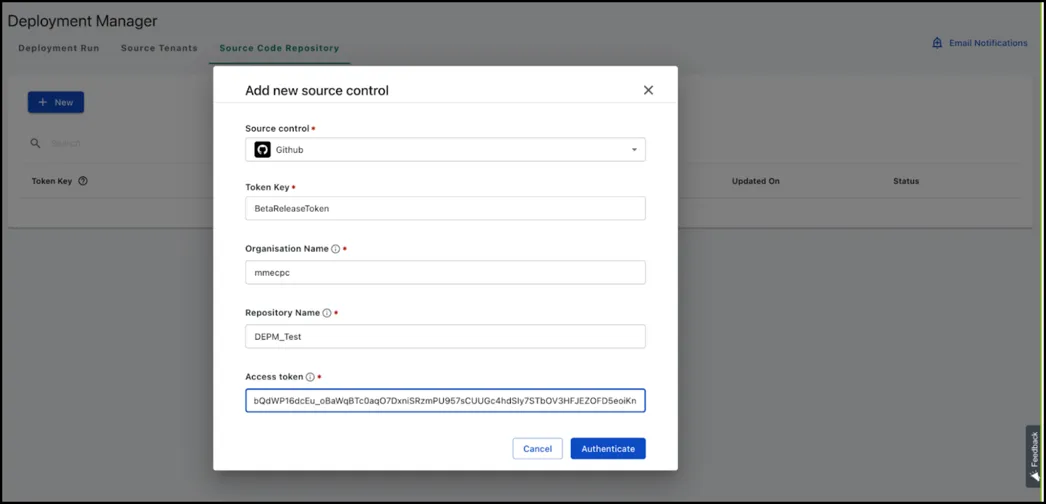
In the Add new source control pop-up, enter the following details:

ParameterValue
Source ControlSelect GitHub*.
Token KeyProvide a unique identifier for mapping Deployment Manager to GitHub.
Organization NameProject or container in GitHub for sharing the space with users in GitHub.
Repository NamePlace in GitHub for storing files.
Access TokenUser level token for accessing GitHub.

Add source code

5

Click Authenticate.

This is a one-time configuration setup, and the Source Code Repository remains Active until the access token expires.