

Create a report from the saved query
Learn how to create a report from the saved query
To create a report from the saved query, perform these steps.
Click the dropdown button  to the right of + Create New Report, and then click Create report from saved query.
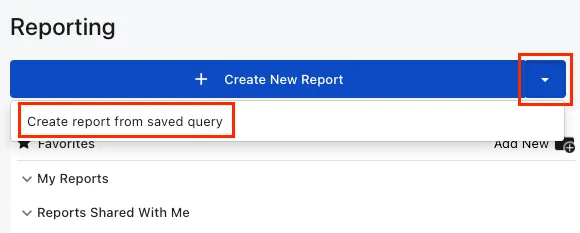
The “Saved data queries” page opens, presenting all saved data queries in your tenant.
Build and preview the report. For more information, see Build and preview the report. When building the report, you can use fields in the query results.
Run and view the report. For more information, see Run and view the report.
For more information about using saved data queries in Reporting, see Create a report from saved data queries.