

Configure a Streaming API as a source
Create meters using a Streaming API as a source, requiring specific platform roles for access.
Select Streaming API as the source.
The Streaming API settings page is displayed.
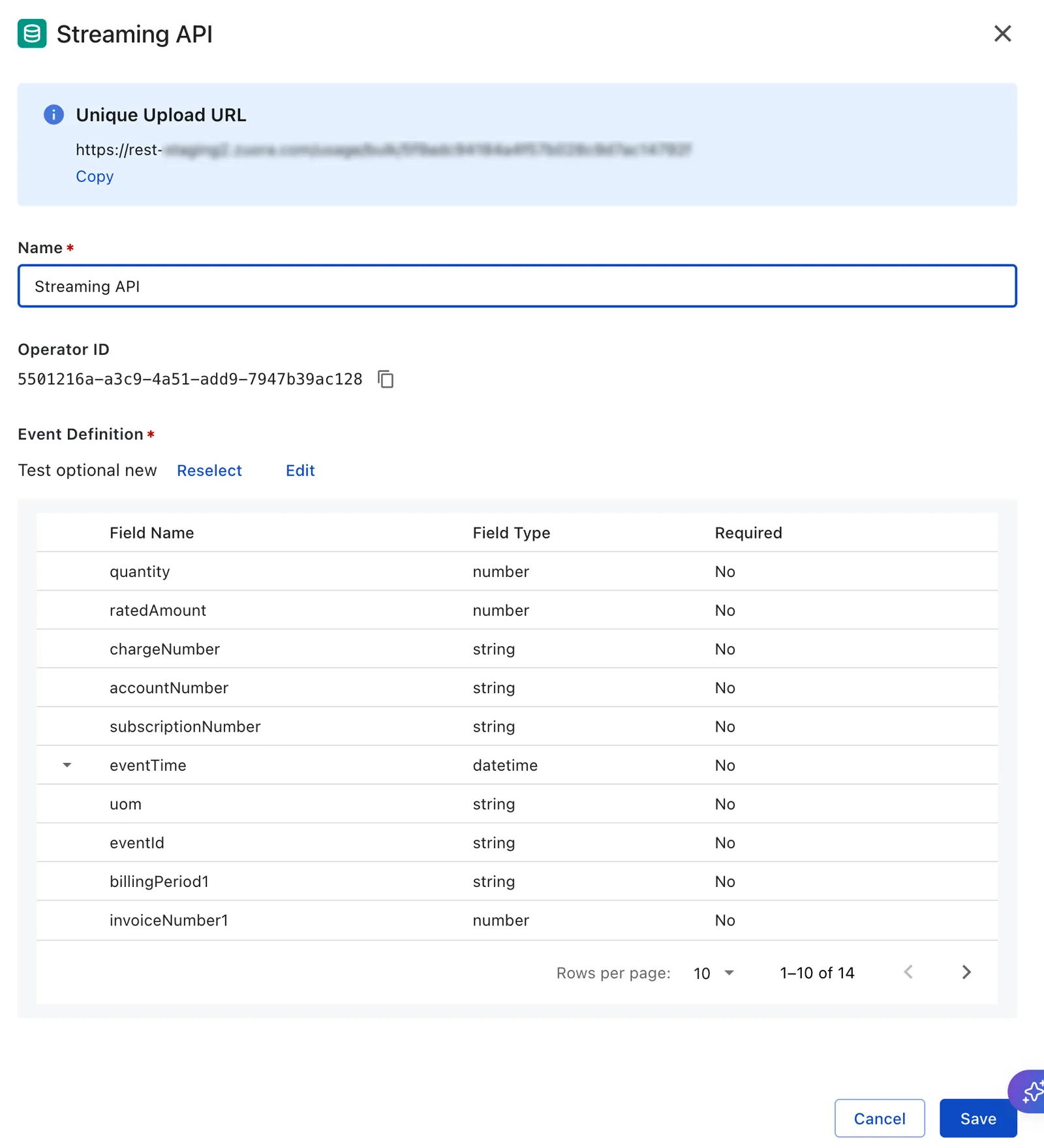
When you select Streaming API as the source, Zuora generates a Unique Upload URL for that meter. This URL is specific to the meter and environment (for example, Sandbox or Production) and does not change when you start or stop the meter. Copy this URL and use it as the endpoint in your external system to POST usage events to the meter.
Enter a Name for the streaming API.
The Operator ID is a system‑generated, non-editable identifier for this operator, used in audit and API integrations.