

Skip to navigation

Enable email notifications for a specific workflow

View as Markdown

Learn how to enable email notifications for a specific workflow.

1

Create a global constant (such as devOpsEmail) for the responsible party. When testing the workflow, assign your own email to this constant. When this workflow is ready to be deployed to Production, replace your email with the correct one. To learn how to create global constants, see Configure global constants of Workflow .
2

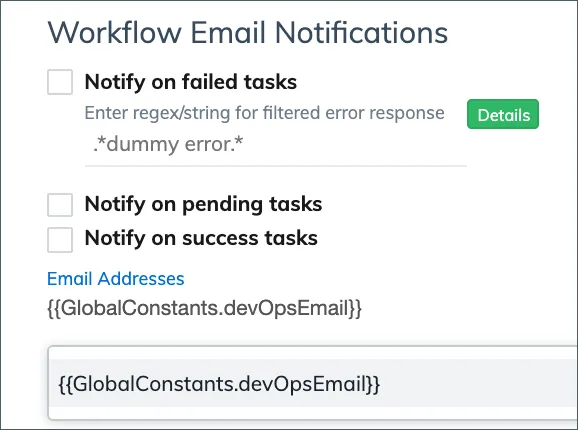
In the settings of the workflow, select Notify on failed tasks.

Workflow email notification configuration
3

If you want to ignore certain errors, enter one or multiple strings or regulation expressions to define the filtered-out error response. For the filtered-out error response, alert emails will not be sent to the distribution list specified in the workflow settings.

4

Enter the global constant in the Email Addresses field.

5

Click Update to save the settings.